

Malibu Bot
Two setups. Wait for the pullback. Skip the chase.
Candle pattern bot for NinjaTrader 8

$99/ month

As seen in









Malibu Bot
 Two candle setups
 Enters on the pullback
 News filter built in
 Session limits included
- Platform
- NinjaTrader 8
- Type
- Candle pattern bot
- Runs in
- The ACE Engine
Two setups. Wait for the pullback. Skip the chase.
No chasing
Enters on the pullback
Two setups
Twin Fin, Noserider
Managed trades
Targets, stops, limits
You see the pattern and still chase it
You spot a clean candle setup, hesitate, and then jump in late when the move is already stretched. Or you wait, miss it, and take the next one out of frustration. The pattern was fine. Your entry was the problem.
Sound familiar?
- You hesitate, then enter late
- You chase the candle at its worst point
- Frustration trades follow a missed setup
Patterns traded the patient way
Malibu Bot takes the guesswork out of candle setups. It looks for two of them, Twin Fin and Noserider, and trades them by fixed rules. It does not hesitate and it does not argue with itself about whether this one counts.
The key is the entry. Malibu waits for the pullback instead of chasing the candle. That is a calmer way to get in, and the trade starts with room to be managed.
Then the engine takes over: targets, stops, a news filter and session limits. It cannot promise a good day and some setups will fail. You set the size and the limits, test on Sim, and keep control of risk.
Malibu Bot is for
- Pattern traders who trade candle setups by the book.
- Chasers who keep entering a bar too late.
- MNQ scalpers who want rules on a five minute chart.
- News wary traders who want the bot to sit out the calendar.
What Malibu Bot does for you
Chasing candles is how good setups turn into bad entries. Malibu Bot is a NinjaTrader candle pattern trading bot that trades two candle setups and enters on the pullback, not by chasing. The engine then manages the trade with targets, stops and session limits.
Two named setups
Malibu trades two candle setups, Twin Fin and Noserider. A short list of patterns keeps the bot focused and keeps you from guessing what it is looking for.
Enter on the pullback
The bot does not jump on the candle. It waits for the pullback, which gives a calmer entry and fewer trades taken at the worst point of a move.
Targets and stops
The engine manages each trade with profit targets you can scale out of, a stop, an emergency backup stop and a move to breakeven.
A news filter
Pause around scheduled news so the bot is not trading into the moments you would normally sit out. You decide how it behaves around the calendar.
Session limits
A session kill switch stops the bot for the day at a profit or loss you choose. You can also have it stop after a run of winners or losers.
Results on the chart
A panel shows what the bot did on loaded history and what it has done live since you switched it on, plus the open position.
What you see with Malibu Bot
Entries on the pullback
Entries and exits are marked on the chart, so you can see where the bot came in after the pullback rather than on the candle itself. That makes its patience visible, trade after trade.
A trade being managed
With a trade open, you can see its target and stop lines working on the chart. It is a quick way to check the position has a plan on both sides before you look away.
On or off, in plain sight
Malibu is listed in the Ace Panel and the Strategies tab, so you can tell at a glance whether it is switched on. The results panel sits alongside it with history and live apart.
Where Malibu Bot fits in your plan
- 1ContextWhere are we?
- 2BiasWhich way?
- 3TimingWhen?
- 4ExecutionHow do I get in and out?This one
- 5ManagementHow is the trade doing?
One tool from each layer, not five tools from the same layer. If two indicators answer the same question, that is redundancy, not confluence.
Pairs well with
 ACE LevelsLEVELSSession levels show where a setup sits in the day.
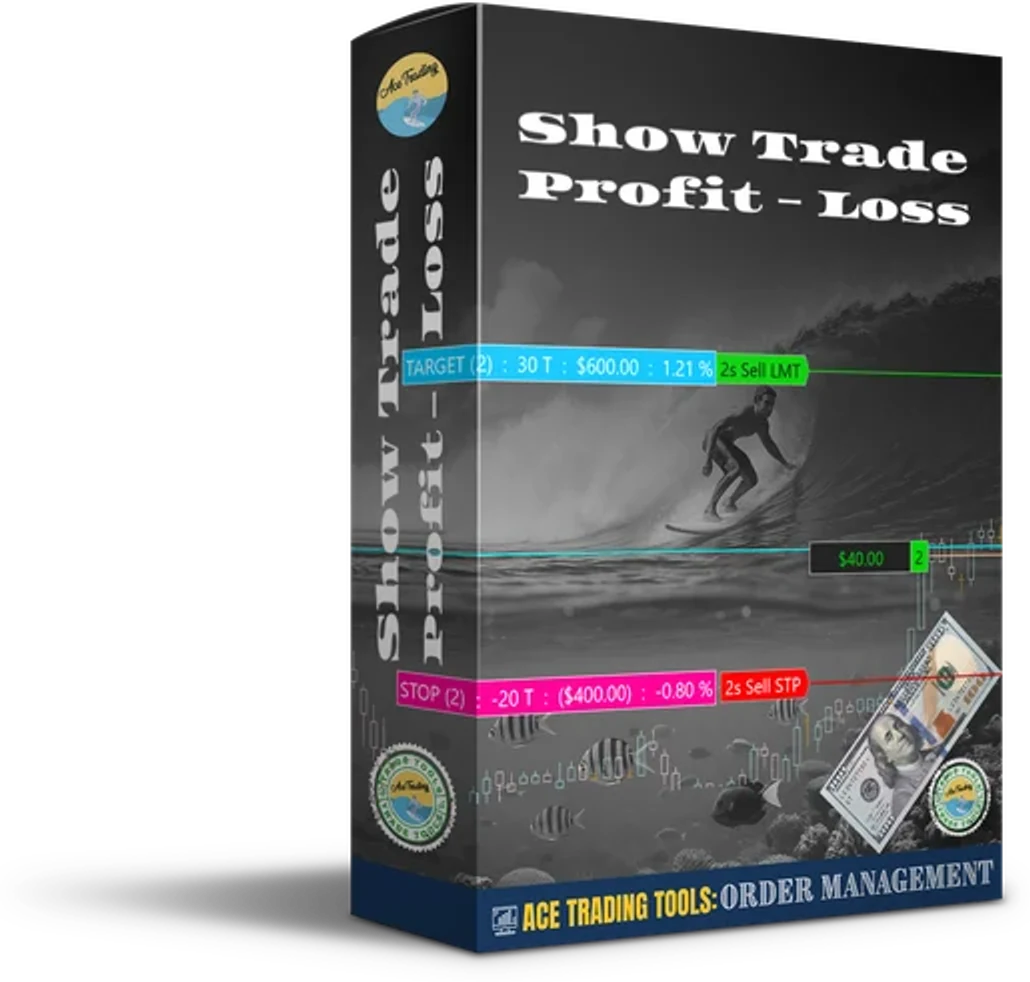 Show Trade Profit & LossTRADE MANAGEMENTSee the open trade's state while the bot manages it.
 iQopy Copy TraderCOPY TRADINGCopy the bot's trades to your other accounts.
 All ACE trading bots18 botsSee every ACE bot for NinjaTrader 8 side by side, and what each one trades.
How Malibu Bot works
- 1
Add the engine
Install the ACE Engine for NinjaTrader 8 once. Malibu Bot then shows up in the Ace Panel on your chart, switched off.
- 2
Rehearse on Sim
Set your size, news filter and session limits. Run it on a Sim account through a full session before you think about live.
- 3
Switch it on
Turning it on is a separate, deliberate step, and the panel names the account first. Then the bot trades by its rules.
Catch the pullback.Skip the chase.
Real traders. Real feedback.
 Kenneth E Fee★★★★★
“Have recently joined AceTraders and now I find I wouldn't trade without their indicators. Their service and customer support is second to none. Fast and the most helpful I have ever come across in my 10 yrs of trading. Now moving to use their bots, which if they are anything like the indicators will be amazing.”
 Paul Faerstein★★★★★
“Love the bots! Love the education! They quickly passed an evaluation for me straight away! I was hesitant, but I recommend them now without hesitation!”
 Jimmy Hood★★★★★
“I have been using several of there bots for several months now and they work great. There are several indicators that they have to help you look for perfect manual trades as well. This is what i like to use because i can then make the decision of taking the trade or not.”
 Martha Leon★★★★★
“I have been using the bots for awhile now. They work great, but you have to put the time to understand them and back test them. There are several bots to choose from. Also, what I like is that Kruges, the owner of ACE Trading, is very responding and is very active in Discord.”
What you get with Malibu Bot
- Malibu Bot for NinjaTrader 8
- The ACE Engine add on
- Targets, stops and breakeven
- Session kill switch
- Time, day and news filters
- Results panel on the chart
- VIP support
- Discord community
- Product updates
 $99/ monthGet Malibu BotVisa, Mastercard, Amex, Apple Pay, Google Pay, PayPal. 100% satisfaction guarantee.
Malibu Bot FAQ
?What is Malibu Bot?
A NinjaTrader 8 bot that trades two candle setups, Twin Fin and Noserider. It enters on the pullback and the ACE Engine manages the trade.
?Who is Malibu Bot for?
Traders who like candle patterns but lose entries by chasing. It suits people who want fixed rules and a bot that does not hesitate.
?Why does Malibu Bot enter on the pullback?
Chasing a candle often means buying the stretch. Waiting for the pullback gives the bot a more measured entry, though it does not make any trade a winner.
?What markets and timeframe was Malibu Bot tuned on?
It was tuned on MNQ, five minute. It runs inside NinjaTrader 8 with any broker or data feed that NinjaTrader 8 supports, which you bring yourself.
?Does Malibu Bot repaint?
No. It is a trading bot, not a chart indicator, so there are no drawn signals that move or vanish after the bar closes.
?Can Malibu Bot avoid news events?
It has a news filter that pauses it around scheduled news. You choose how to use it, and you can also limit the days and time windows it trades.
?Can I use Malibu Bot on a prop account?
Check your prop firm's rules on automated trading before you run it on an evaluation or funded account, and run it on Sim first.
?Does Malibu Bot guarantee winning trades?
No. A candle pattern can fail, and losses are part of trading with any bot. Malibu gives you rules and limits, not a result you can count on.
?What are the risks of Malibu Bot?
Futures trading can lose money. Run it on a Sim account through a full session, set the session kill switch, and keep your size to what you can afford.
?How does support work?
Every ACE product comes with VIP support and access to the ACE Discord community. Ask questions, share charts and get help with setup.
Trading futures carries a real risk of loss and is not right for everyone. A bot follows its rules. It cannot promise a result, and past trades do not predict future ones. Run it on a Sim account first and only trade money you can afford to lose.